
Security site survey software for integrators who need clearer floor plans, device data, and handoff
OneSurvey helps security integrators capture site survey data, place devices on scaled floor plans, manage a clear system device library, and export reports customers and install teams can actually use.
Built for camera, access control, and low-voltage survey workflows that need less rework and clearer documentation.
Platform overview
One platform from walkthrough to handoff
Replace disconnected notes, floor plan markups, photo folders, and spreadsheets with one workflow built for security integrators.
Site surveys built for integrators
Capture device, network, location, and installation data during the walkthrough instead of piecing it together later.
Scaled floor plan layouts
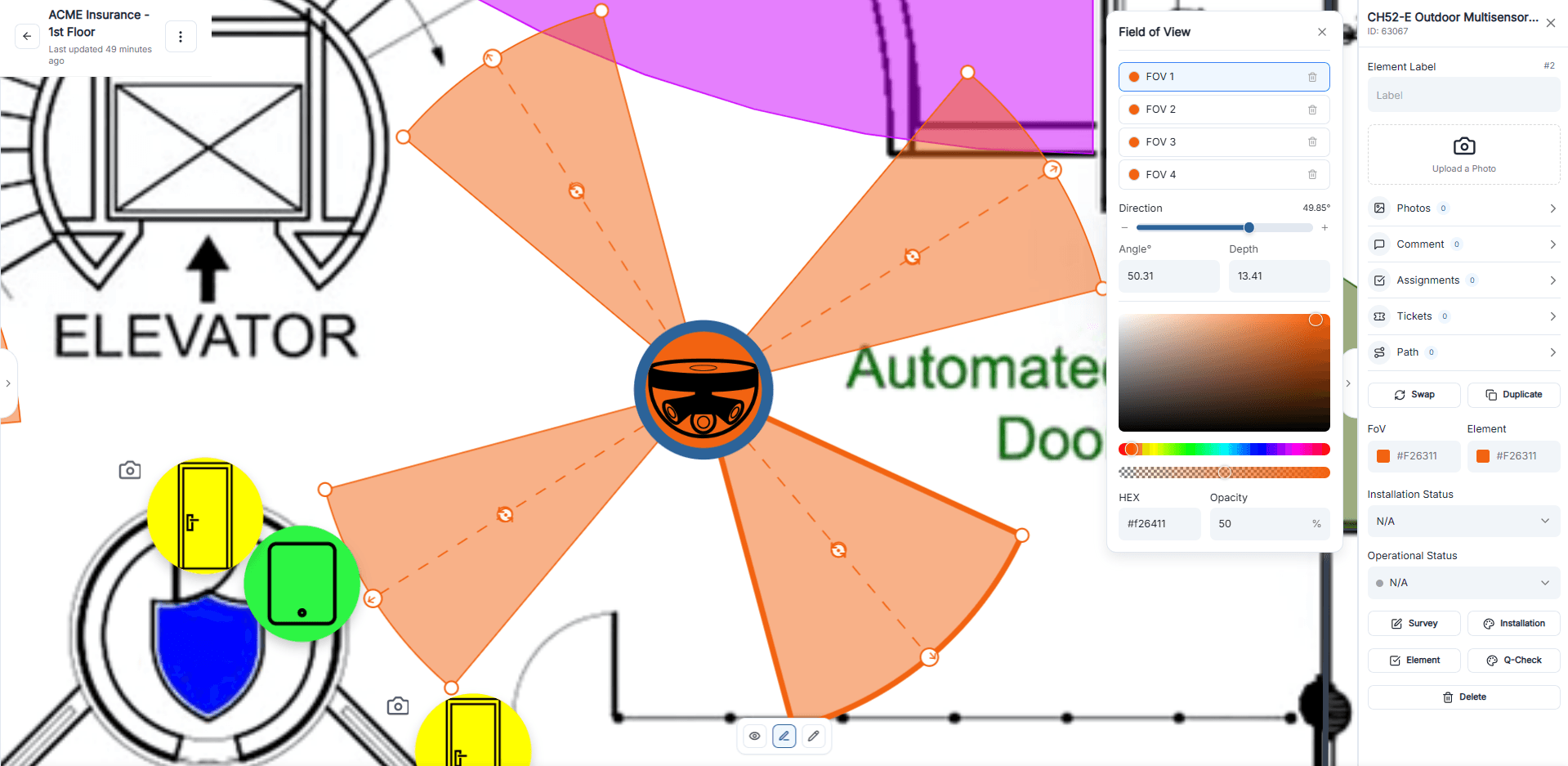
Place cameras, readers, panels, and other devices on scaled floor plans with coverage and markup your team can review quickly.
System device library
Keep approved devices, part numbers, and accessories organized in a clear library your survey and design teams can use every day.
Reports for review and handoff
Export floor plans, photo reports, bills of materials, and site data reports from the same project without rebuilding the details by hand.
Site data capture
Capture the field details that usually get lost after the site walk
Keep device, network, location, and install information tied to the right floor plan and the right element while the survey is happening.
Device details and network data
Track labels, IP addresses, MAC addresses, switch ports, notes, and other device information in one place.
Location and mounting details
Record descriptive location, mounting surface, device height, and other on-site details that matter during design and installation.
Photos, comments, and tickets
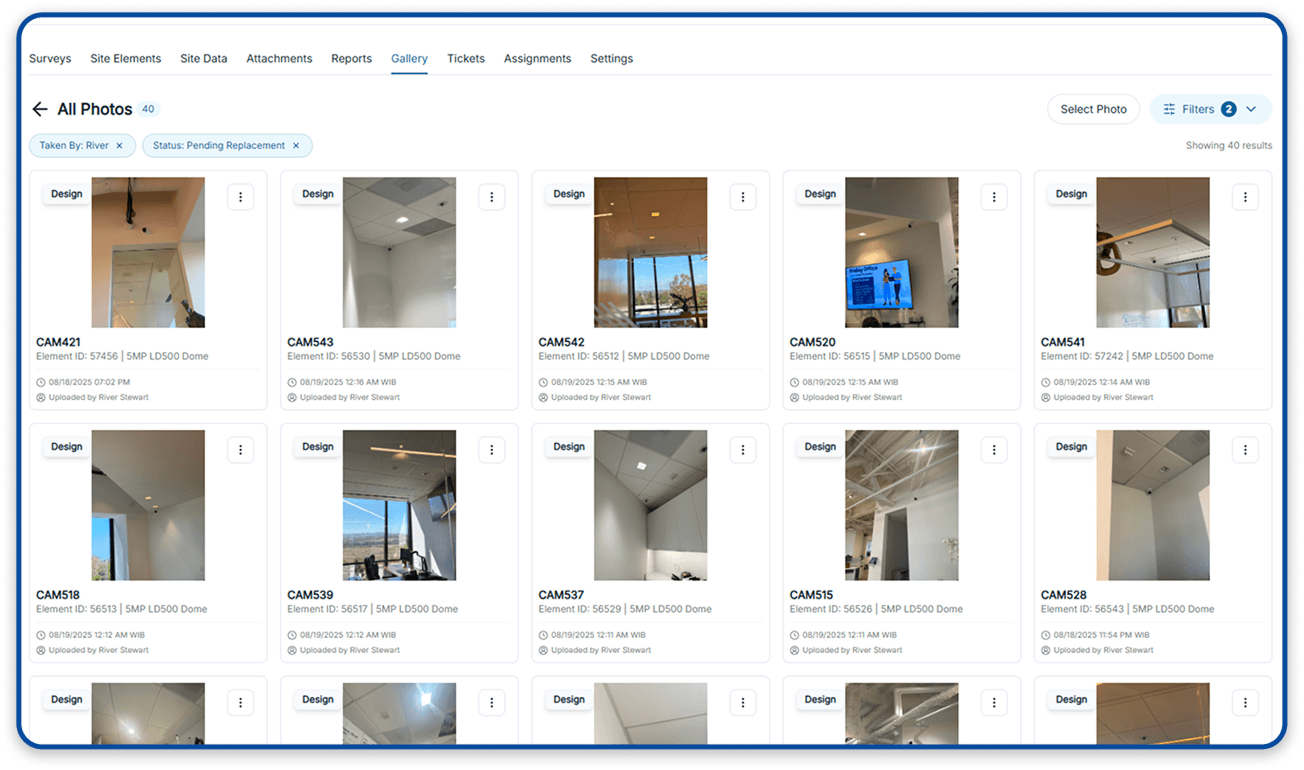
Keep photos, comments, assignments, and tickets attached to the right device so project details stay easy to review.
Installation and operational status
Mark devices as proposed or installed and track whether they are operational, semi-operational, or non-operational.
Floorplan design
Turn survey findings into floor plan layouts your team and customer can follow
Build device layouts that show placement, coverage, and markup clearly enough for estimating, review, and installation planning.
Import and scale floor plans
Upload existing plans or sketches and calibrate them to real measurements before layout work begins.
Drag-and-drop device placement
Place cameras, readers, sensors, and other devices directly on the floor plan using the elements from your selected library.
Field-of-view controls
Adjust angle, depth, rotation, and colors so reviewers can understand the intended coverage for each camera or device.
Walls, routes, and annotations
Draw walls, routes, shapes, and text directly on the plan to clarify scope, cable paths, and installation intent.
Element library
Keep your system device library clear, organized, and easy to use
Keep standard devices, part numbers, and accessories easy to find so placement is faster for the survey, design, and install team.
System device library
Keep system devices organized in one clear library so teams can find the right equipment quickly.
Part numbers, SKUs, and variations
Choose the exact model, SKU, or part number variation that belongs on each placed device.
Accessories tied to devices
Track mounts, brackets, and other accessories alongside the device they belong to.
Assignments tied to devices
Keep device-level assignments connected to the floor plan so survey, design, and install teams know what still needs action.
Reporting and handoff
Create deliverables for estimating, review, and installation handoff
Export the floor plans, site data, photos, and material summaries different stakeholders need without rebuilding the same information in separate files.
Floor plan exports
Generate printable floor plan layouts, including versions with borders and legends for cleaner customer and internal review packages.
Survey, installation, and element reports
Export the site data tables your team actually uses, including survey information, installation information, and element information.
Photo reports
Build photo-based documentation that shows site conditions, progress, and visual reference points for the customer and install team.
Bills of materials
Summarize selected devices, part numbers, accessories, and quantities for estimating, planning, and procurement.
Quality review
Add an extra review step before closeout
Optional AI quality review helps teams inspect installation photos, flag issues, and reduce back-and-forth before closeout.
This capability is available as an add-on for teams that want another layer of QA before turnover, client review, or closeout documentation.
Ready to see more
See how OneSurvey fits your survey and design workflow
We will walk through your current process and show how OneSurvey can improve site surveys, floor plan clarity, and final handoff.
OneSurvey workflow
- Survey
Capture site conditions, element data, and field photos.
- Design
Place devices on scaled floorplans and review layouts.
- Report
Generate floorplan, photo, and bill of materials reports.
Floorplans
Site Photos
Reports