
Give every technician a survey process they can follow
Create the site, upload the floor plan, place devices, add photos and notes, and hand off a survey record the office can actually use.
Built for security integrators and low-voltage teams that need consistent field capture, clearer office review, and less rework after the walkthrough.
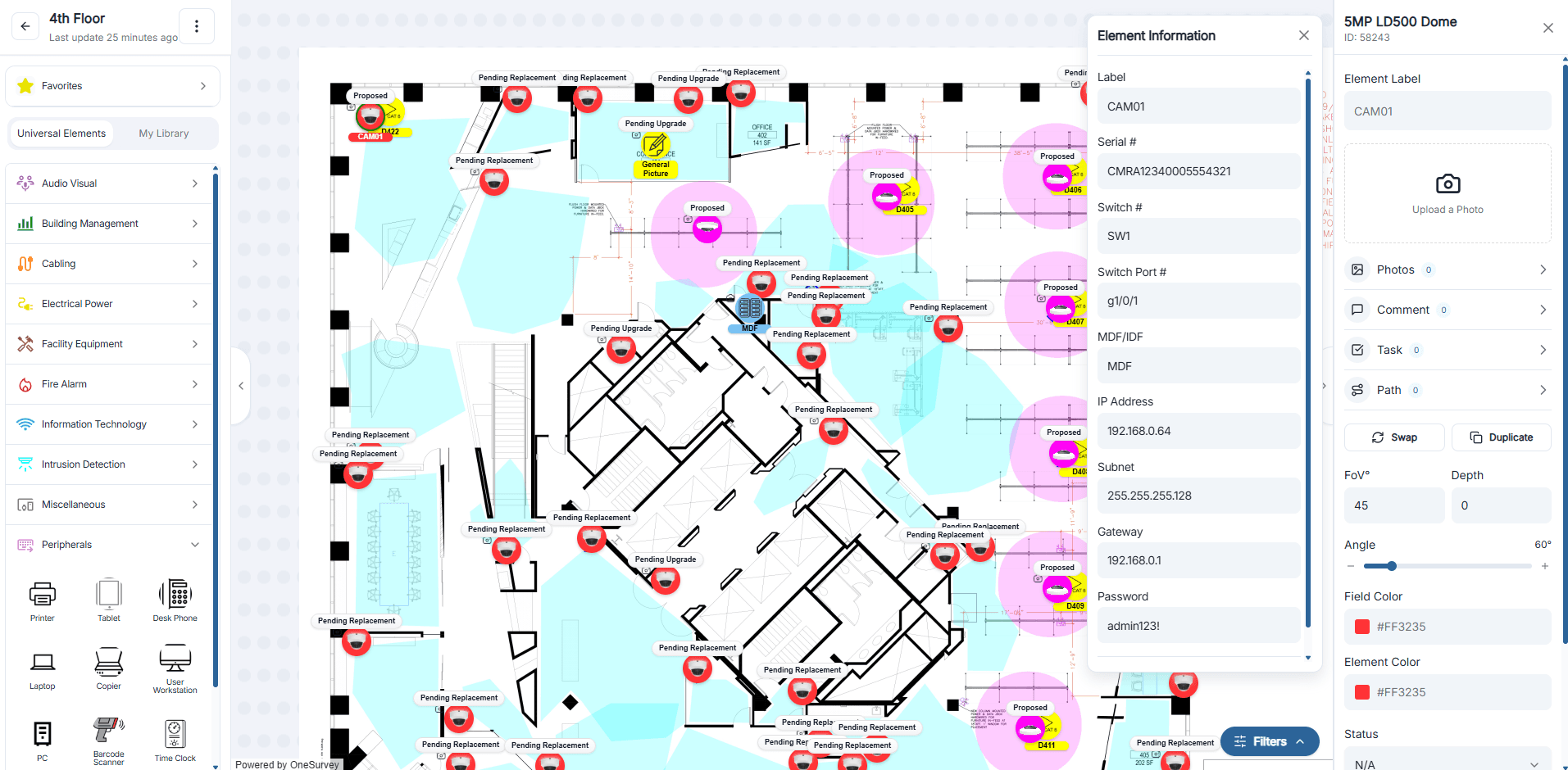
Workflow steps
Move from first walkthrough to final review in one connected flow
Instead of rebuilding the site story from notes, photos, and separate markups later, keep the survey moving in one place while the visit is happening.
Step 1
Create the site and bring in the plan
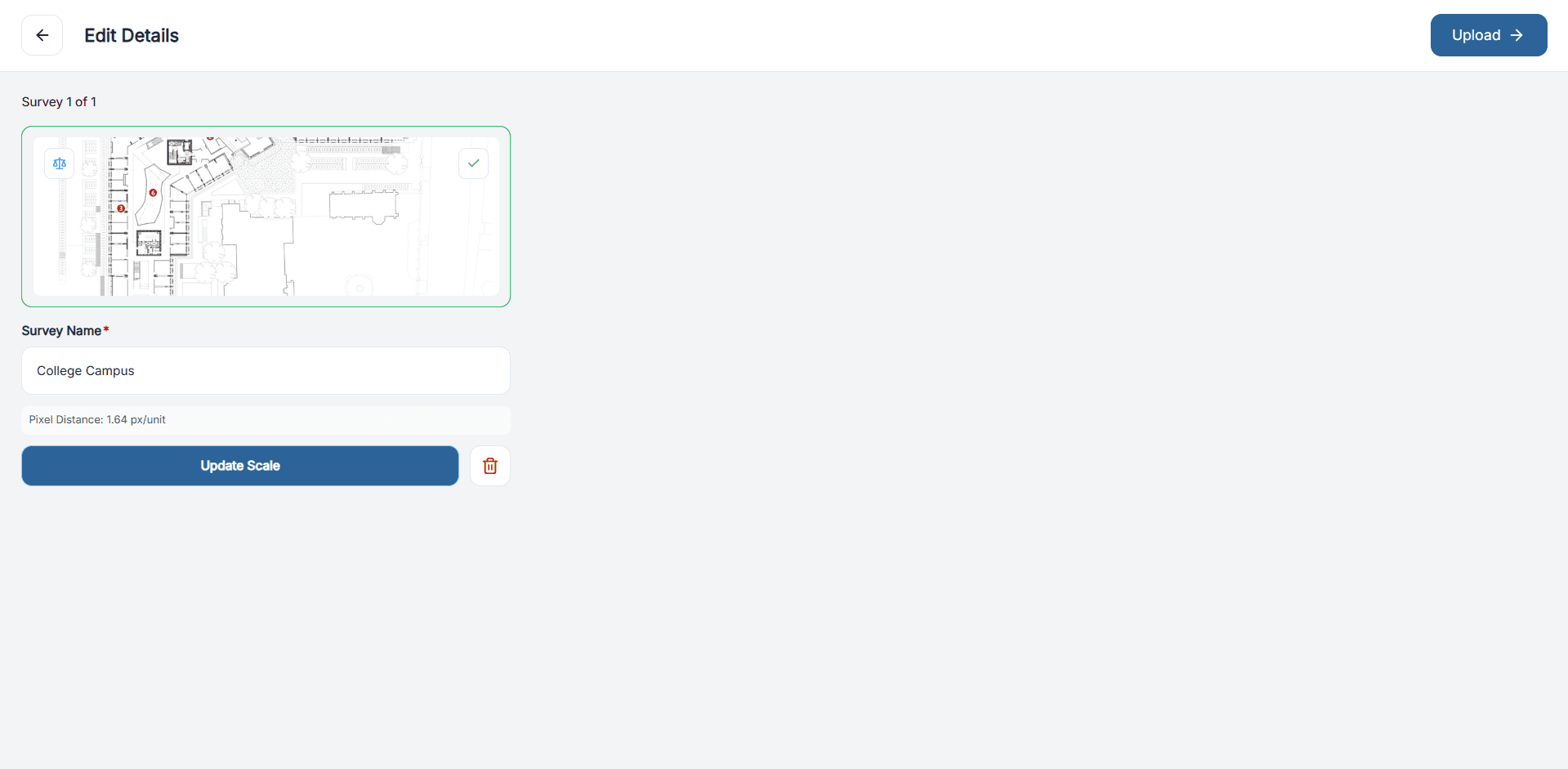
Start with the site record, upload plan images or PDFs, and split multi-page drawings into the survey views your team actually needs.
Step 2
Set scale before detailed work begins
Calibrate the floor plan to real-world measurements so coverage review, route planning, and layout decisions stay grounded in the actual site.
Step 3
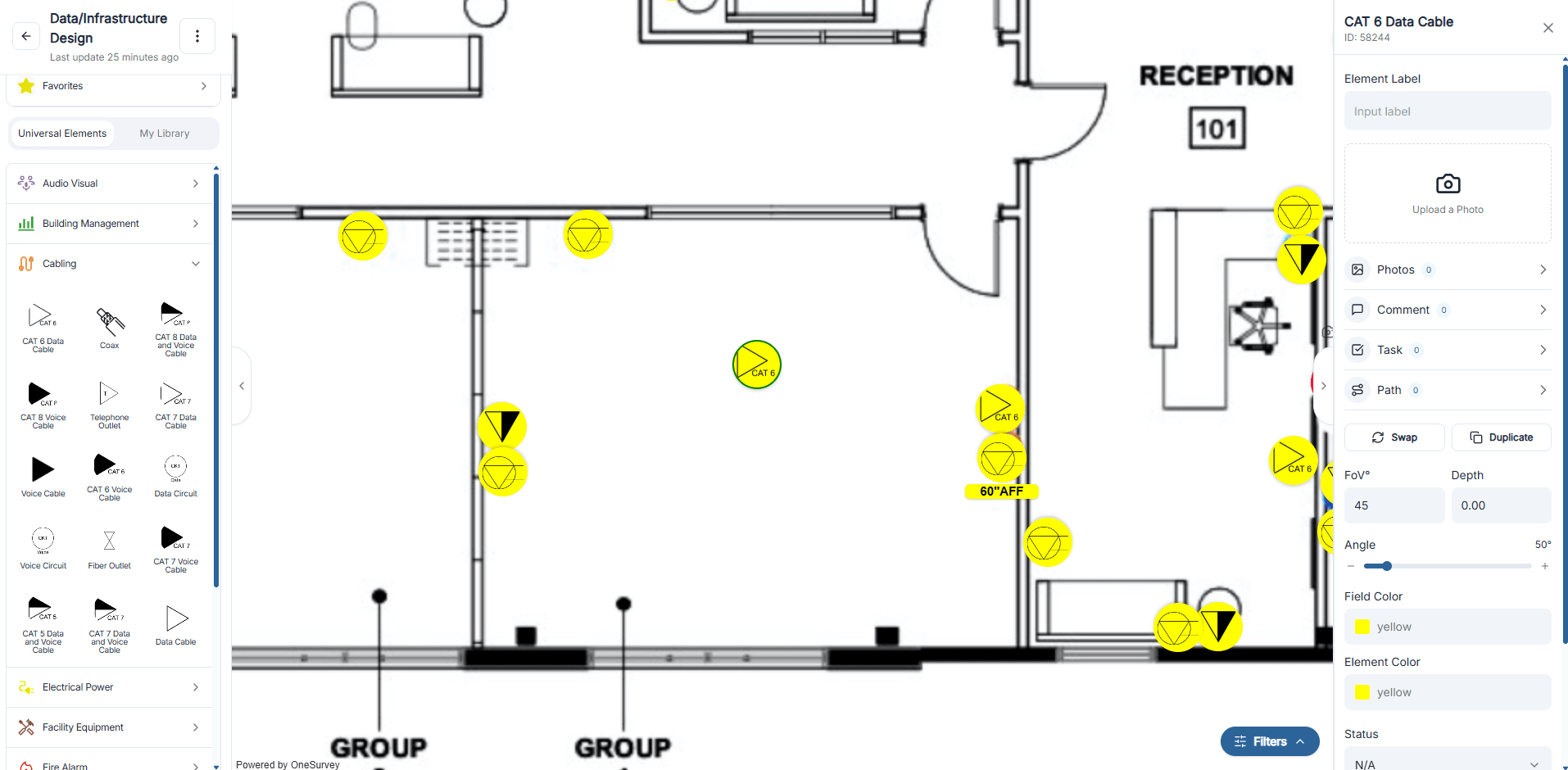
Place devices fast from the right library
Use favorites and your approved device library to drop cameras, readers, panels, sensors, and other equipment where they belong.
Step 4
Capture proof while you are still on site
Keep labels, status, notes, photos, and comments attached to the right device instead of scattered across separate files and chats.
Step 5
Review, assign follow-up, and hand off
Use filters, version history, assignments, and tickets to clean up the survey before design, estimating, or install review starts.
Workflow
Upload and scale the plan
Workflow
Place devices on the plan
Workflow
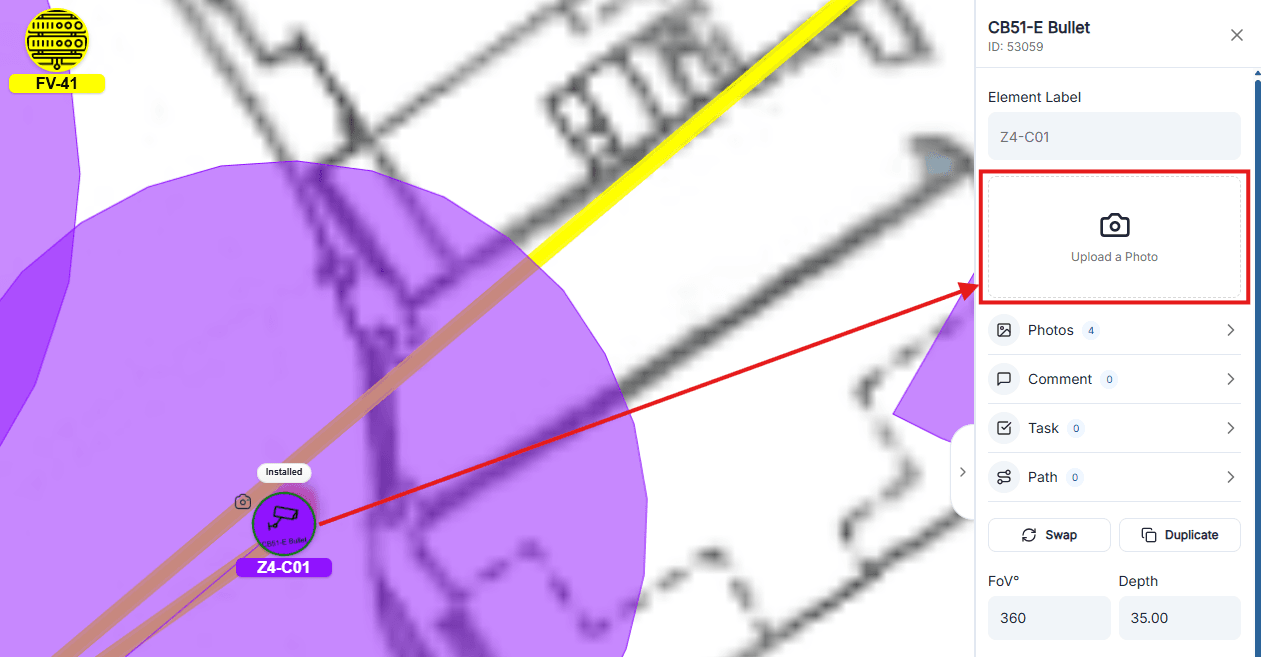
Capture photos in context
Workflow
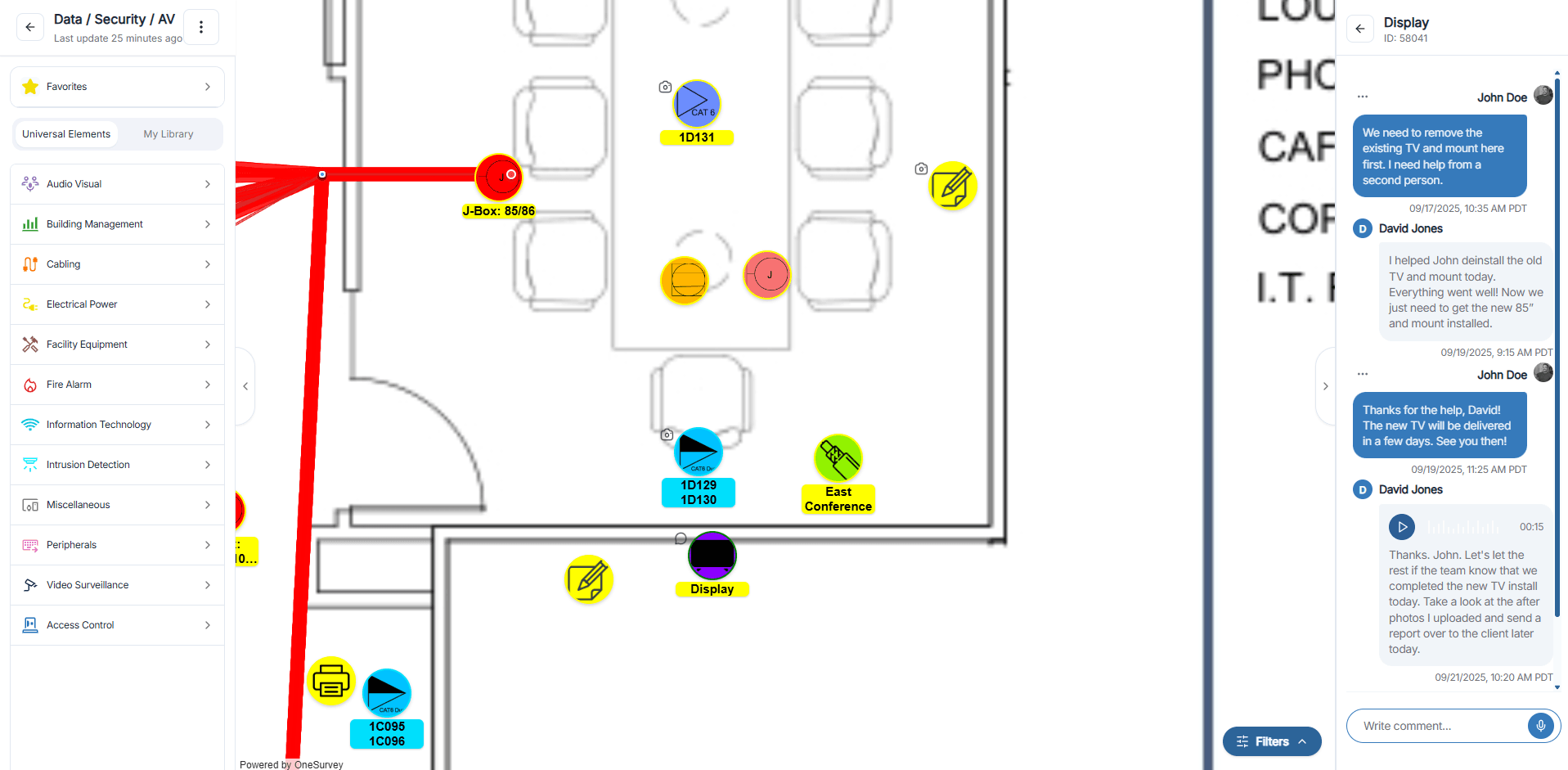
Review comments and context
Field to office
Capture what happened on site while the context is still fresh
Technicians can work on the plan, open the right device, and add proof before they leave. Reviewers see the same context later instead of decoding separate notes and photo folders.
Update details in context
Select a placed device and record the practical details the office team will ask for later, from status to installation notes.
Link photos to the right location
Upload images from the device workflow so reviewers know exactly what each photo represents without guessing later.
Leave comments that stay attached
Capture clarifications, field notes, and quick decisions directly on the survey instead of losing them in email threads.
Create next actions without restarting the job
Turn field findings into tickets or assignments so follow-up work stays connected to the site and the device that needs attention.
Why it helps
Standardize the survey without making it harder to do
The goal is not more admin for the field team. It is a survey record that stays useful for review, estimating, design, install, and future service work.
Consistent surveys across technicians
Give every field team a repeatable process so site records stay cleaner and estimating does not depend on who captured the walk.
Clearer review for office teams
Filters, status views, and saved history make it easier for design, operations, and project leads to review what changed and what still needs attention.
Less rework after the walkthrough
Because floor plans, device details, photos, and comments stay together, teams spend less time rebuilding context after they leave the site.
Better inputs for design and proposals
Accurate site data flows into layouts, bills of materials, reports, and customer-facing deliverables without duplicate entry.
A smoother mobile-to-desktop handoff
Field teams can capture updates on site while office teams continue review and reporting from the same project record.
Documentation that stays useful later
The same survey record supports install handoff, service follow-up, and future site visits instead of becoming a one-time markup.
Ready to standardize
See how OneSurvey can tighten your survey workflow
Bring your current site walk process and we will show how OneSurvey reduces missed details, improves review, and creates a cleaner handoff.
OneSurvey workflow
- Survey
Capture site conditions, element data, and field photos.
- Design
Place devices on scaled floorplans and review layouts.
- Report
Generate floorplan, photo, and bill of materials reports.
Floorplans
Site Photos
Reports