OneSurvey

Security Infrastructure Lifecycle ManagementVerified with Digital Birth & Lifecycle Certificates

Eliminate costly installation errors, reduce RMAs, and gain full audit visibility and complete traceability across every deployed asset with AI-verified lifecycle certification.

Fewer revisits
80% fewer revisits

Fewer missed details with guided capture.

Proposal speed
2x faster proposals

Reports and visuals ready in one place.

Reporting time
40% faster reporting

Auto-generated outputs cut manual work.

Installation accuracy
70% less rework

AI-verified installations reduce costly errors before project closeout.

Compliance assurance
100% audit-ready systems

Every device validated across 20 industry standards with full traceability.

Lifecycle visibility
Complete device history

Digital Birth & Lifecycle Certificates track every asset from install to service.

Trusted by security teams

Integrators, facilities, and enterprise ops rely on OneSurvey

Integrator teams
OEM partners
Facility groups
Advisory firms
Ops leaders

Features

Powerful tools for consistent security site surveys

OneSurvey keeps survey capture, floorplan design, and reporting organized from the first walkthrough to final handoff.

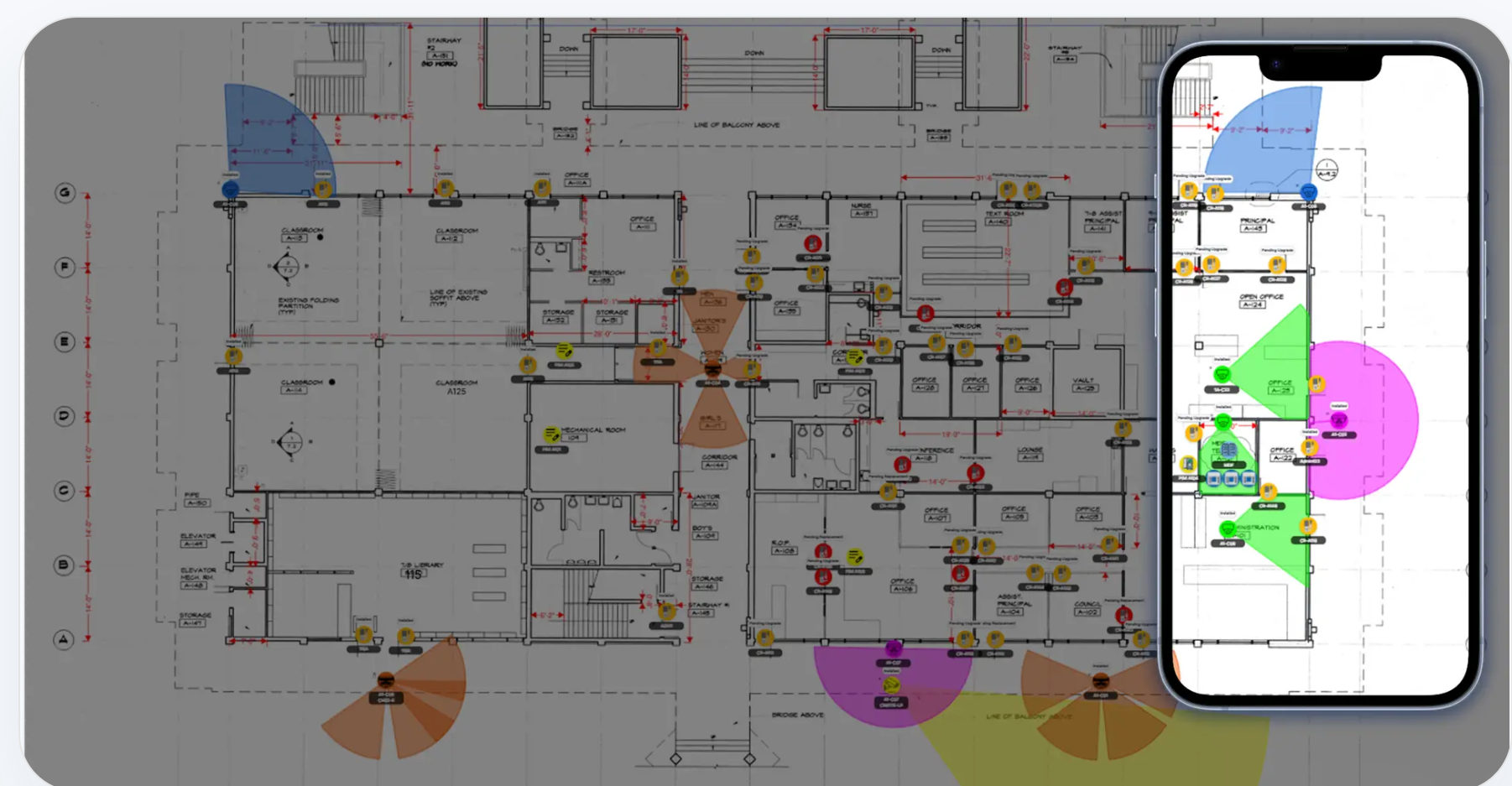
OneSurvey mobile floorplan view showing mapped devices and coverage overlays.

Survey capture

Use guided checklists, required fields, photos, and notes to capture consistent security site data.

Floorplan editor

Import plans, set scale, and place devices on accurate floorplan layouts.

Device library

Maintain approved devices, parts, and accessories so every survey uses the right specs.

Photo documentation

Organize field photos into clear galleries tied to devices and locations.

Assignments and handoff

Track tasks and notes so survey findings flow cleanly to install teams.

Reporting and exports

Generate proposal-ready reports, device inventories, and photo documentation fast.

How it works

From site walk to proposal-ready documentation

Four steps keep field teams and office teams aligned from walkthrough to handoff.

Step 1

Set up the site

Create a site, add stakeholders, and define survey scope.

Step 2

Capture the survey

Import floorplans, set scale, and walk the site with guided checklists.

Step 3

Map devices and photos

Place devices on the plan and attach photos, notes, and assignments.

Step 4

Deliver reports

Generate proposal-ready reports, inventories, and handoff packages.

Project list showing created sites and workflow stages.

Workflow

Set up the site

Site detail page showing floor plans and survey stages.

Workflow

Capture the survey

Mobile floorplan view with mapped devices and coverage overlays.

Workflow

Map devices and photos

Bill of materials report showing categorized devices and quantities.

Workflow

Deliver reports

Differentiators

Built for security survey workflows

OneSurvey is purpose-built for floorplan-based security planning, not generic work tracking.

Tablet view of the OneSurvey survey page with site details and survey controls.

Floorplan-first security design

Scale plans, place devices, and use coverage views to confirm intent before proposals go out.

Element-level photo documentation

Photos, notes, and context stay attached to each device so details never get lost.

Proposal-ready reporting

Export floorplan visuals, device inventories, and photo reports without manual cleanup.

Device standards built in

Use the shared device library and templates so every survey uses approved specs.

Ready to standardize

Take control of your site surveys

Whether you are standardizing surveys across technicians or organizing site information for long-term planning, OneSurvey gives you a single place to capture, review, and share accurate data.

OneSurvey workflow

  • Survey

    Capture site conditions, element data, and field photos.

  • Design

    Place devices on scaled floorplans and review layouts.

  • Report

    Generate floorplan, photo, and bill of materials reports.

Floorplans

Site Photos

Reports