
Build clearer security layouts on scaled floor plans
Upload plan images or PDFs, set real-world scale, drag and drop cameras, readers, panels, and other devices, then mark up the plan for internal review, customer review, and install handoff.
Built for security integrators who need accurate floor plan layouts, cleaner design reviews, and fewer install questions.
Plan setup
Start with the right plan and a scale your team can trust
Bring in the floor plan file you already have, organize each level or area, and calibrate measurements before layout work begins.
Upload plan images and PDFs
Import JPG, PNG, GIF, WebP, SVG, or PDF floor plans so the editor starts from the drawings your team already has.
Select pages and name each plan
Split multi-page PDFs into separate floor plans and give each level, building, or area a clear name for review.
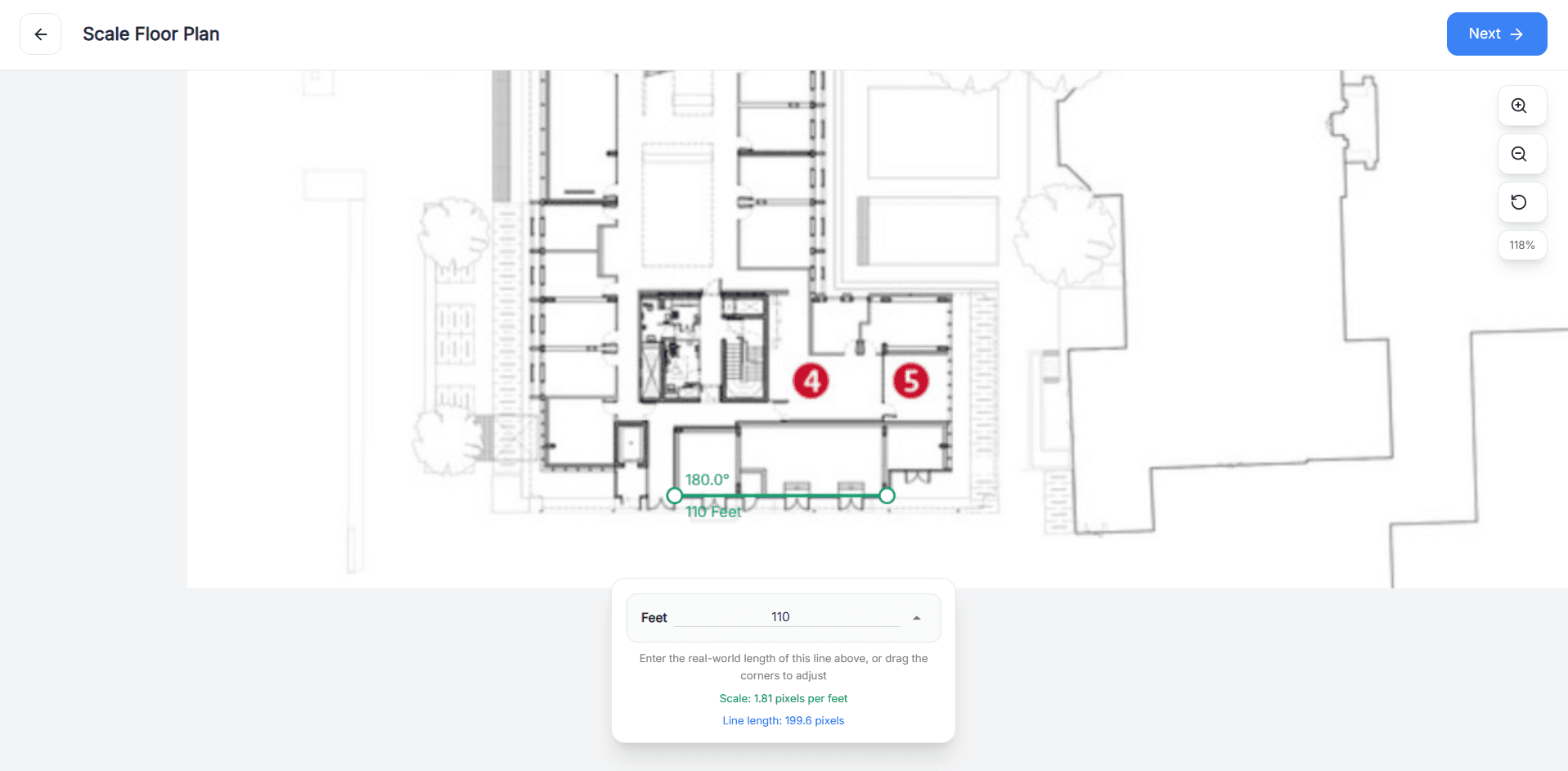
Set and update scale
Draw a reference line, enter the real-world distance, and keep measurement-based planning tied to the actual site.
Workflow
Set scale
Workflow
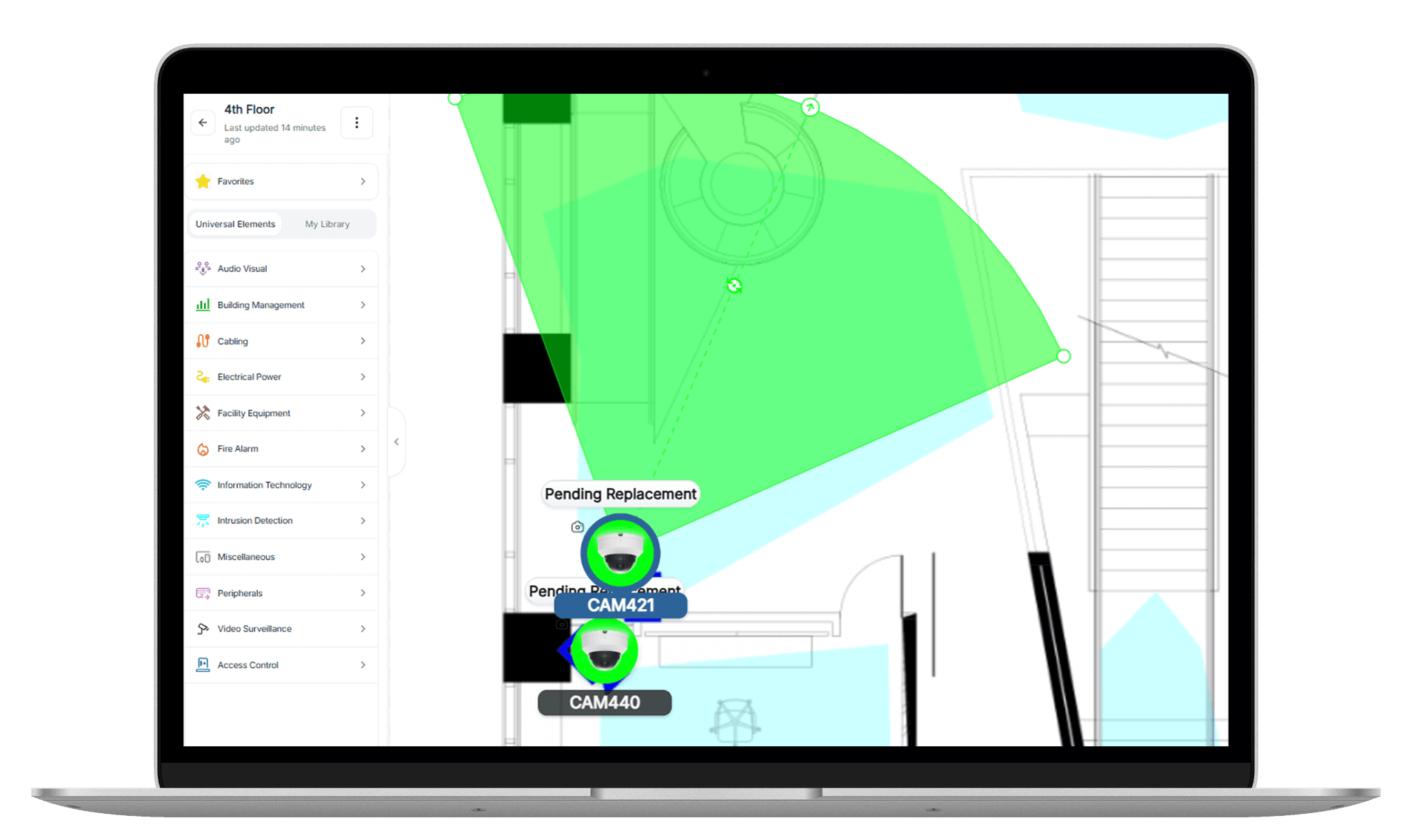
Drag and drop
Workflow
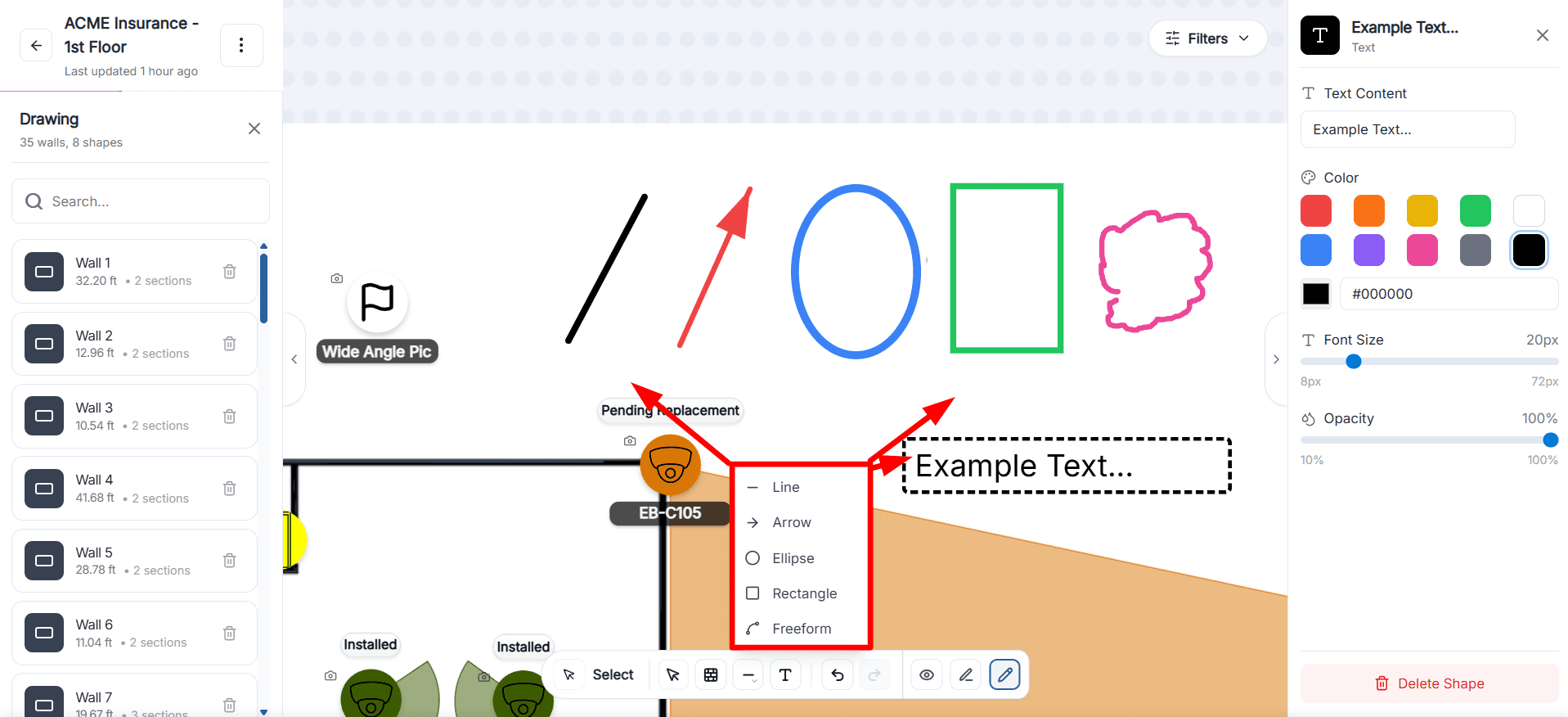
Draw mode
Workflow
Filter the view
Layout tools
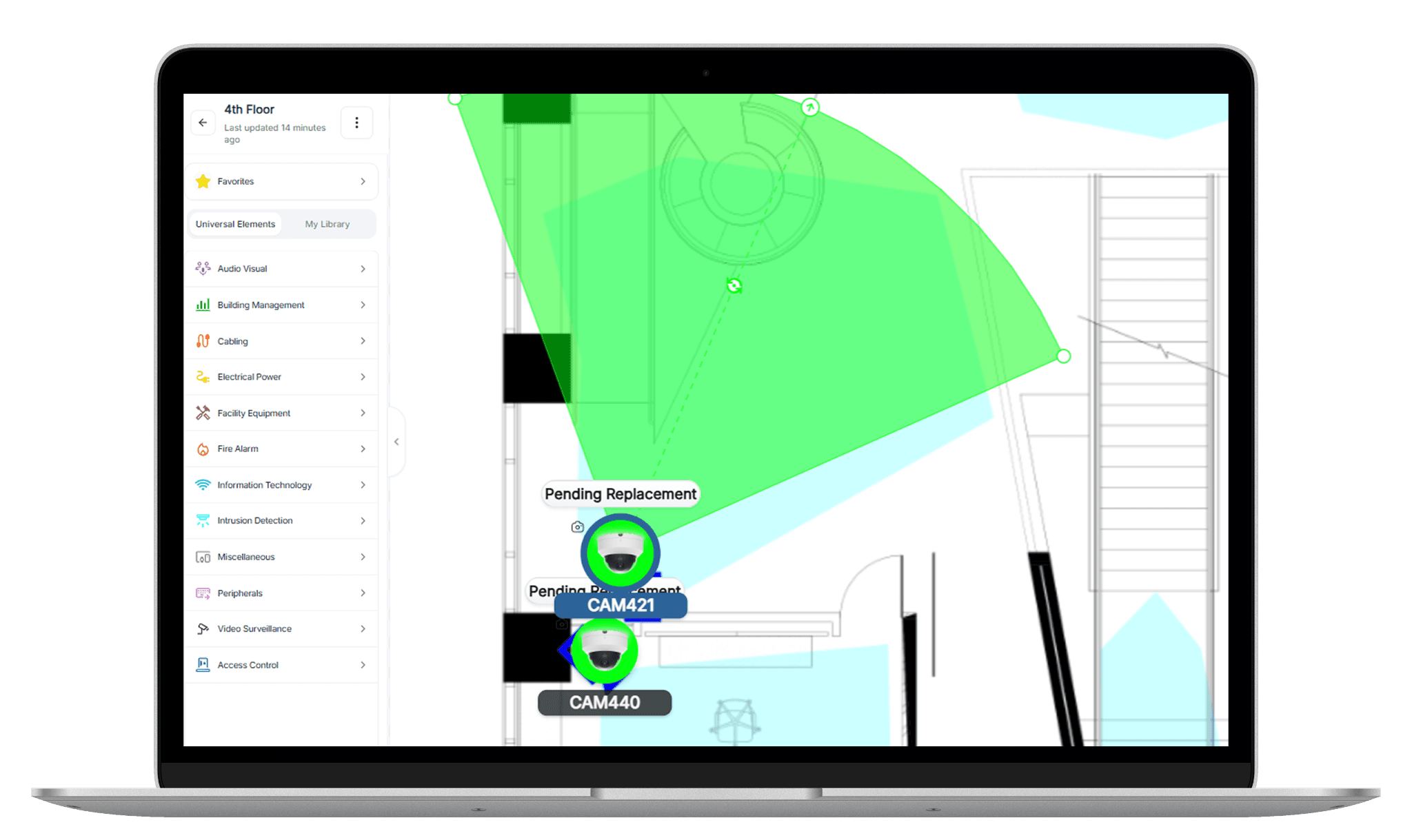
Place devices, show intent, and add context on one canvas
The editor combines device placement, coverage planning, markup, and route planning so the floor plan stays readable as the design gets more detailed.
Drag and drop devices
Place cameras, readers, panels, sensors, and other devices directly from your system device library onto the canvas.
Adjust coverage and orientation
Change field of view, angle, rotation, and depth so reviewers can see intended device coverage on the plan.
Use draw mode for markup
Add walls, lines, arrows, rectangles, freeform shapes, and text labels that make the layout easier to understand.
Add path lines for route planning
Create connected path sections from the selected device to show cable runs, route direction, and length.
Review clarity
Keep complex layouts readable as revisions stack up
As more devices, annotations, and updates are added, the editor gives survey, design, estimating, and install teams the controls they need to stay aligned.
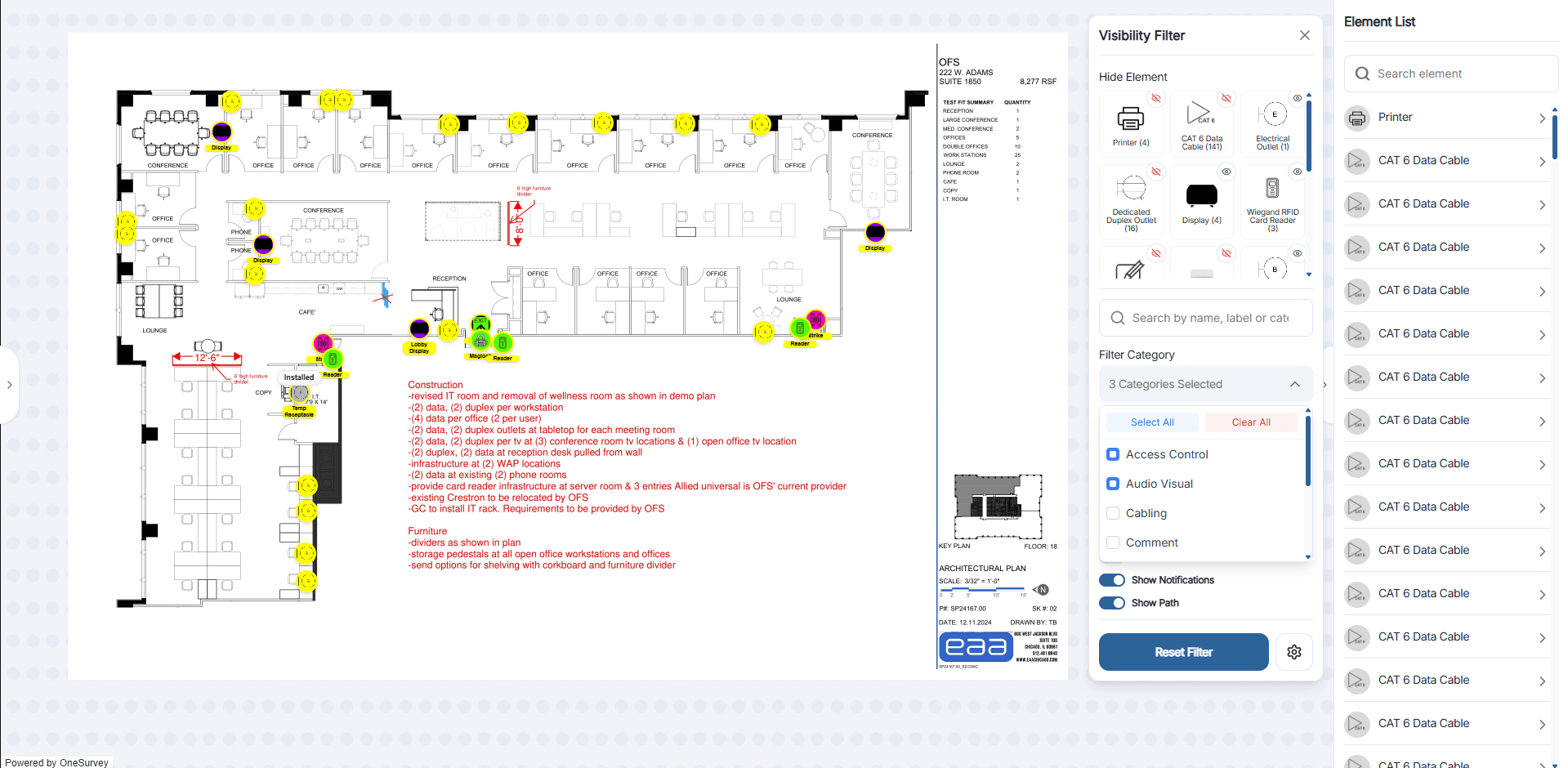
Filter by category or installation status
Show only the system types, device categories, or status groups you need when the floor plan gets crowded.
Define walls with real section types
Create wall runs and label sections as concrete, drywall, glass, metal, or other so the layout reflects real site conditions.
Mark up zones, issues, and notes
Use rectangles, ellipses, arrows, freeform markup, and text to call out doors, coverage concerns, and installation notes directly on the plan.
Show cable routes on the layout
Review connected path lines from each device so design, estimating, and install teams can follow intended runs without separate markups.
Ready to see it on your plans
See how OneSurvey handles floor plan layout from upload to revision
Bring a real floor plan and we will show how your team can upload it, set scale, place devices, use draw mode, and keep review cycles clear in one workflow.
OneSurvey workflow
- Survey
Capture site conditions, element data, and field photos.
- Design
Place devices on scaled floorplans and review layouts.
- Report
Generate floorplan, photo, and bill of materials reports.
Floorplans
Site Photos
Reports